Know which source made money, not which one made volume.
A click carries through to the lead and the sale it produced, so every traffic source has a real margin — and Meta gets told about the conversion that actually happened.
Sound familiar?
You can see the spend clearly. It is the return that goes missing.
Volume is not the same as money
The source with the most leads is often the one with the worst margin. Two dashboards later you still cannot say which campaign paid for itself yesterday.
You cannot see past the click
The ad platform tells you the click happened. Whether the lead sold, what it sold for, and what it cost you lives somewhere else entirely — and never in the same row.
The ad platform optimises against the wrong thing
A pixel that fires on the thank-you page counts form fills. It does not know the lead never sold, so it goes and finds you more people who fill in forms.
Follow the money, not the traffic
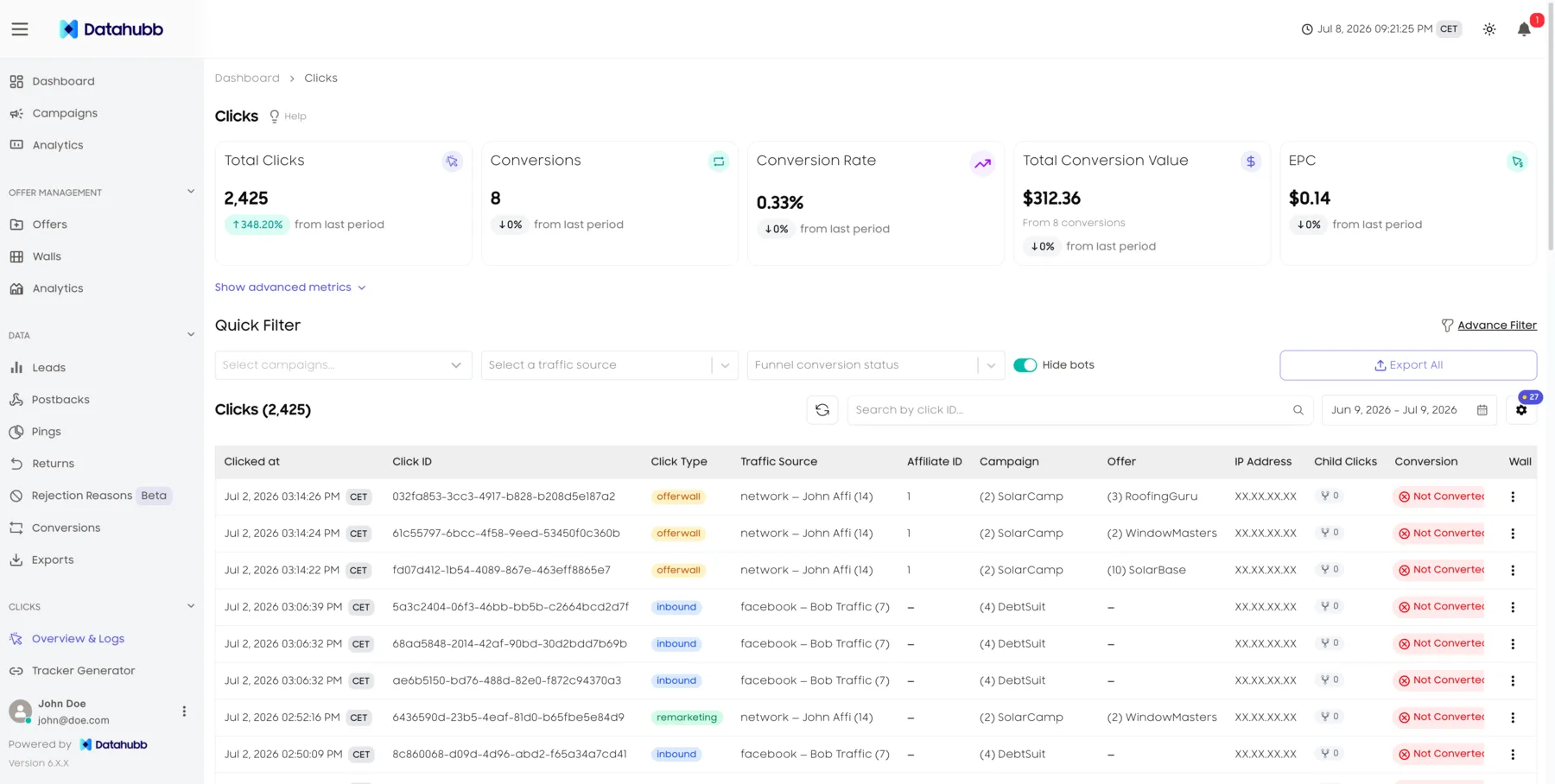
The click, the lead, and the sale in one row
A click carries an ID through to the lead it generates, and the lead carries through to the sale. Revenue and payout attach to the click that actually produced them, so a source has a real margin rather than an impression count.
Both conversion points, counted once
A click can convert twice: it can produce a lead that sells, and it can trigger an advertiser CPC postback. Datahubb reports both — advertiser conversions and lead conversions, side by side — without adding them into the same total twice.
Blended EPC on the clicks you bought
Headline EPC divides conversion value by inbound clicks — the clicks you paid for, not the offer-side clicks downstream. That is the number that tells you whether the buy worked.
Meta CAPI fired server-side
When a click carries an fbclid, the conversion fires to Meta from the server, on the real outcome, with the fbc reconstructed and PII hashed to Meta’s rules. The platform then optimises against conversions that actually happened.
Why a source’s leads do not sell
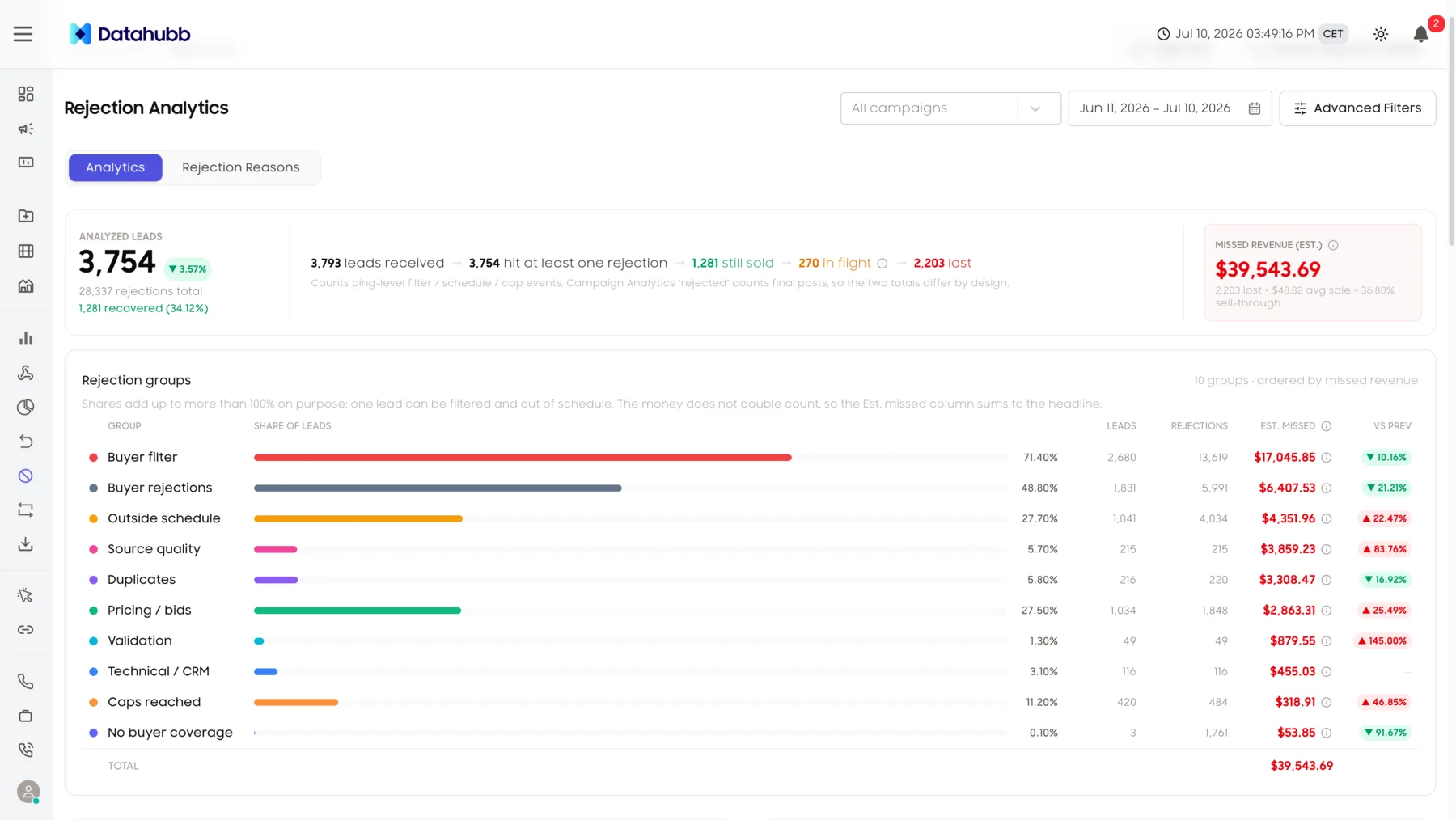
A source can send plenty of leads and still make you nothing, because the buyers keep rejecting them. Rejections are grouped by reason with the estimated revenue at stake against each — an expected value, not a guaranteed loss — and you can filter down to a traffic source, an affiliate ID, or a sub-source, so you find out whether it is a duplicate problem, a filter, or a buyer who was capped.
- Rejection reasons ranked by the revenue estimated at stake
- Filter down to a single source, affiliate, or sub-source
- Cut the source, or fix the targeting — with a reason either way
Judge a source on what it returned
Frequently asked questions
Find out which traffic actually paid.
Start your 14-day trial. Full platform access. Card required, no charge if you cancel during the trial.